
What you see
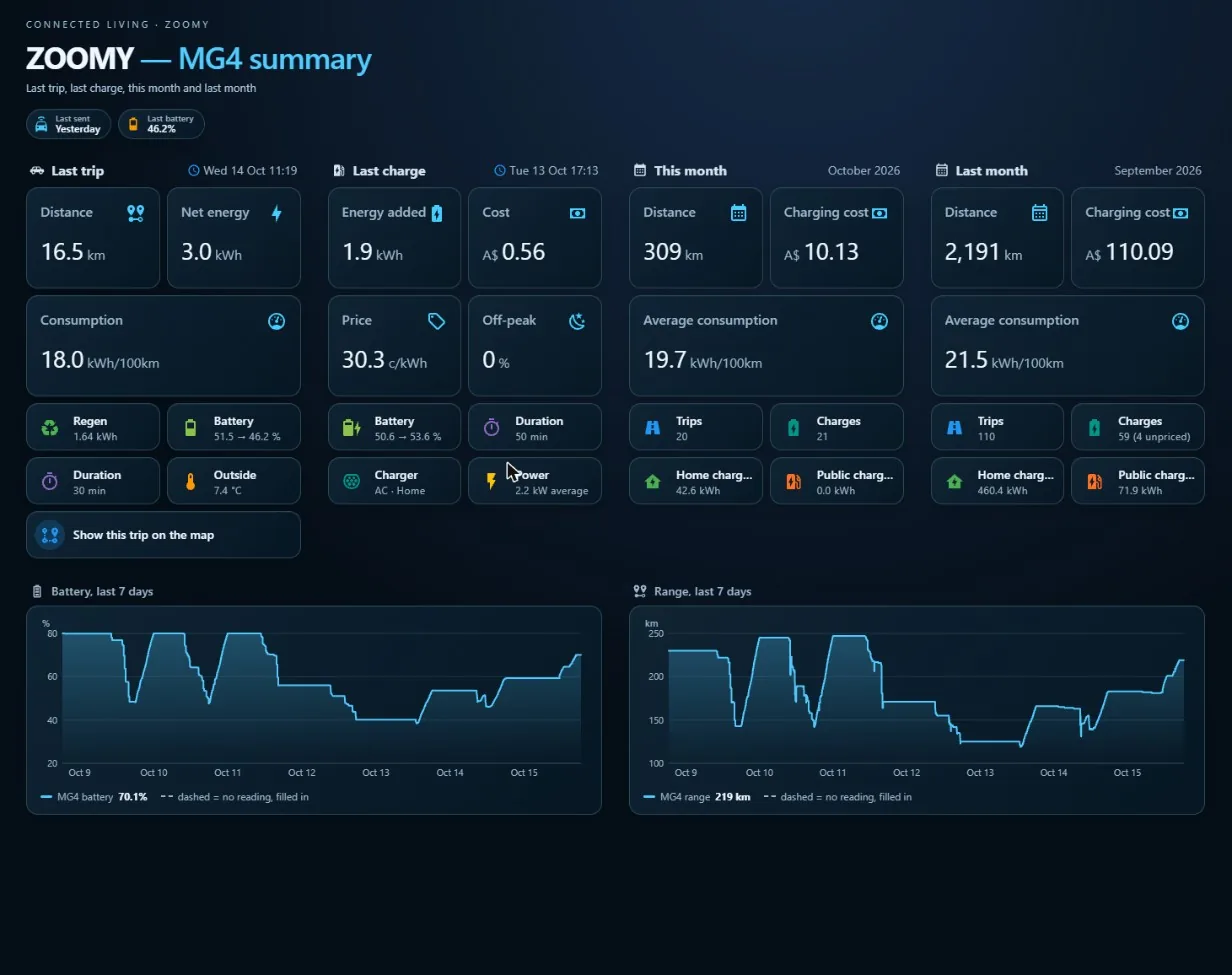
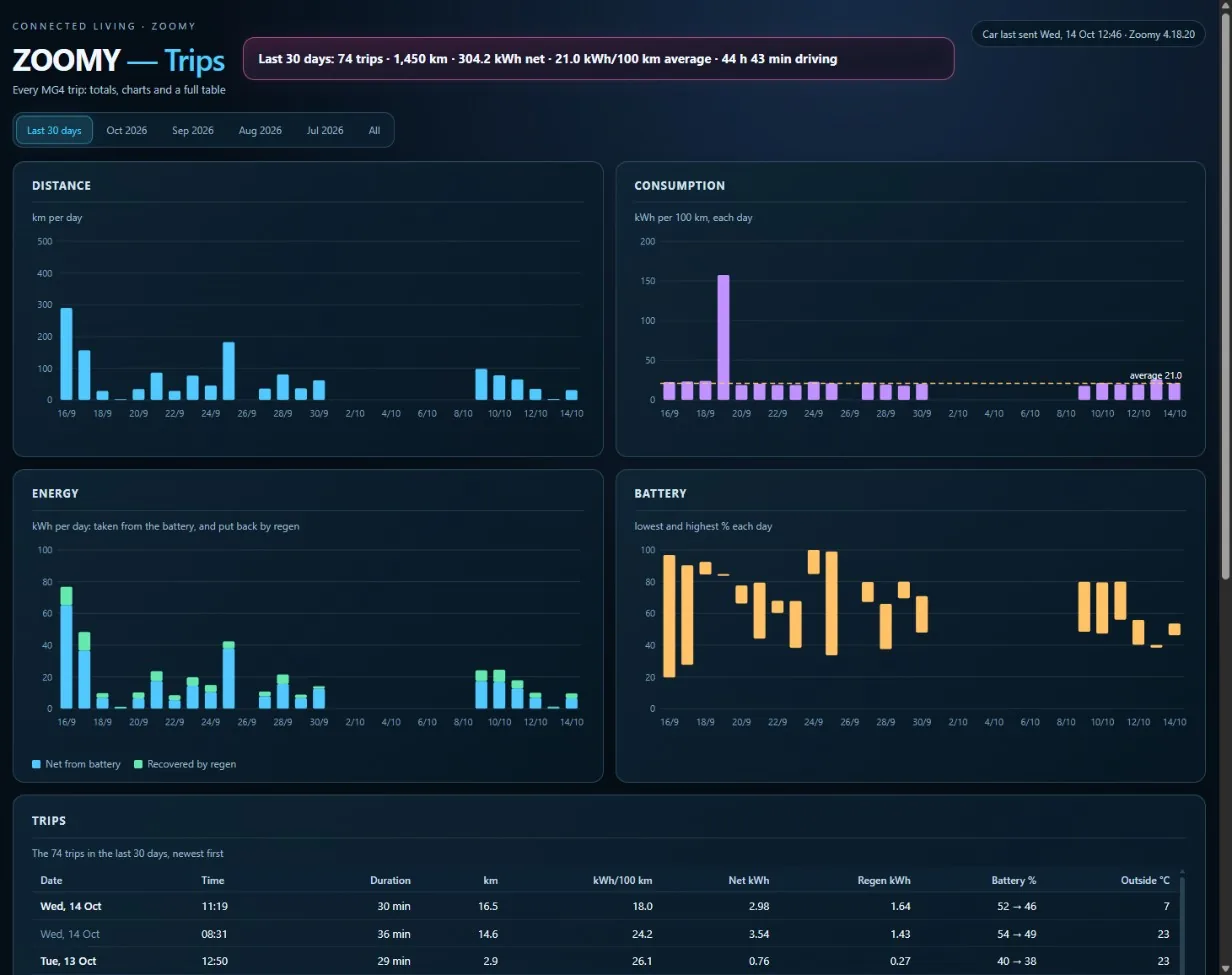
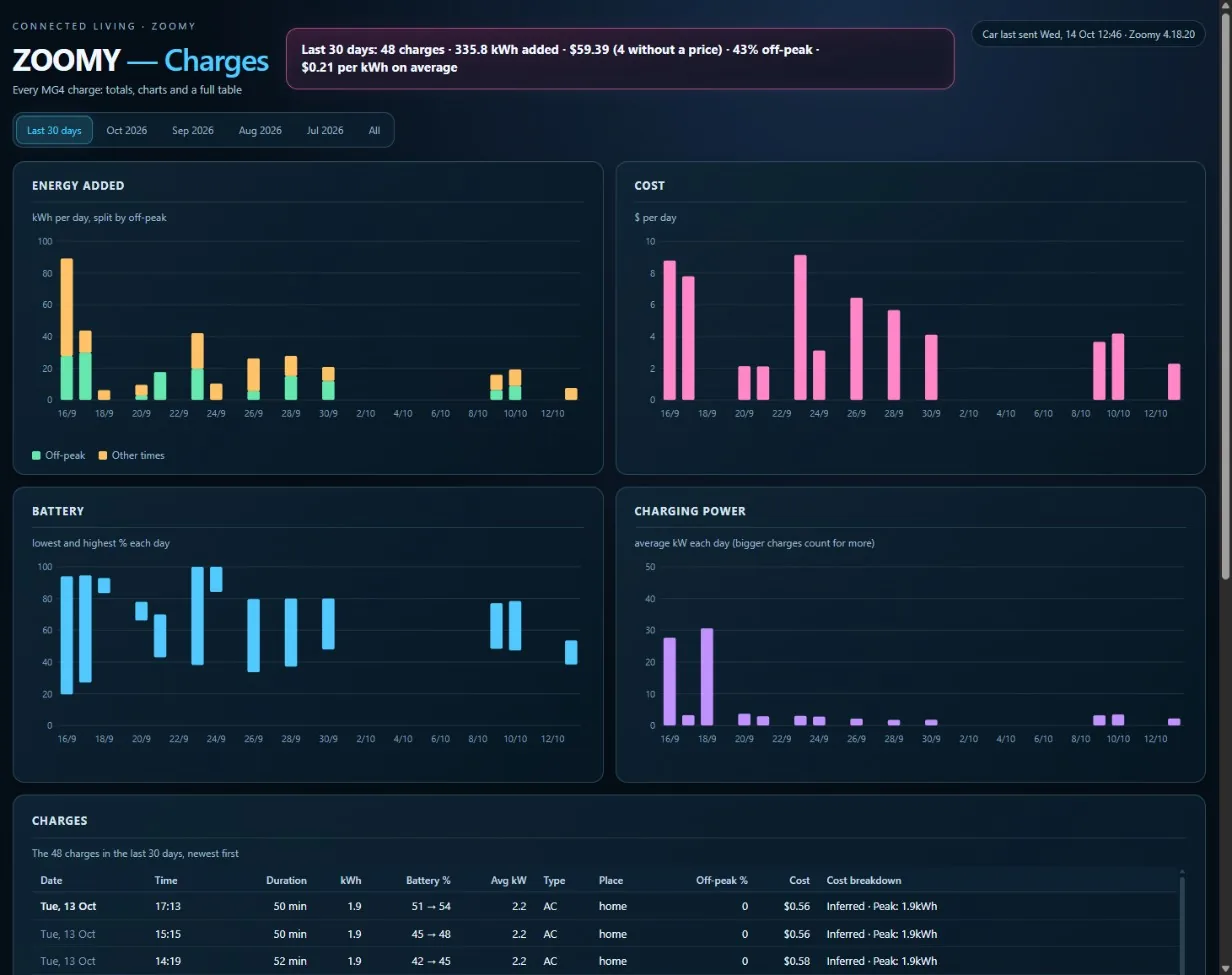
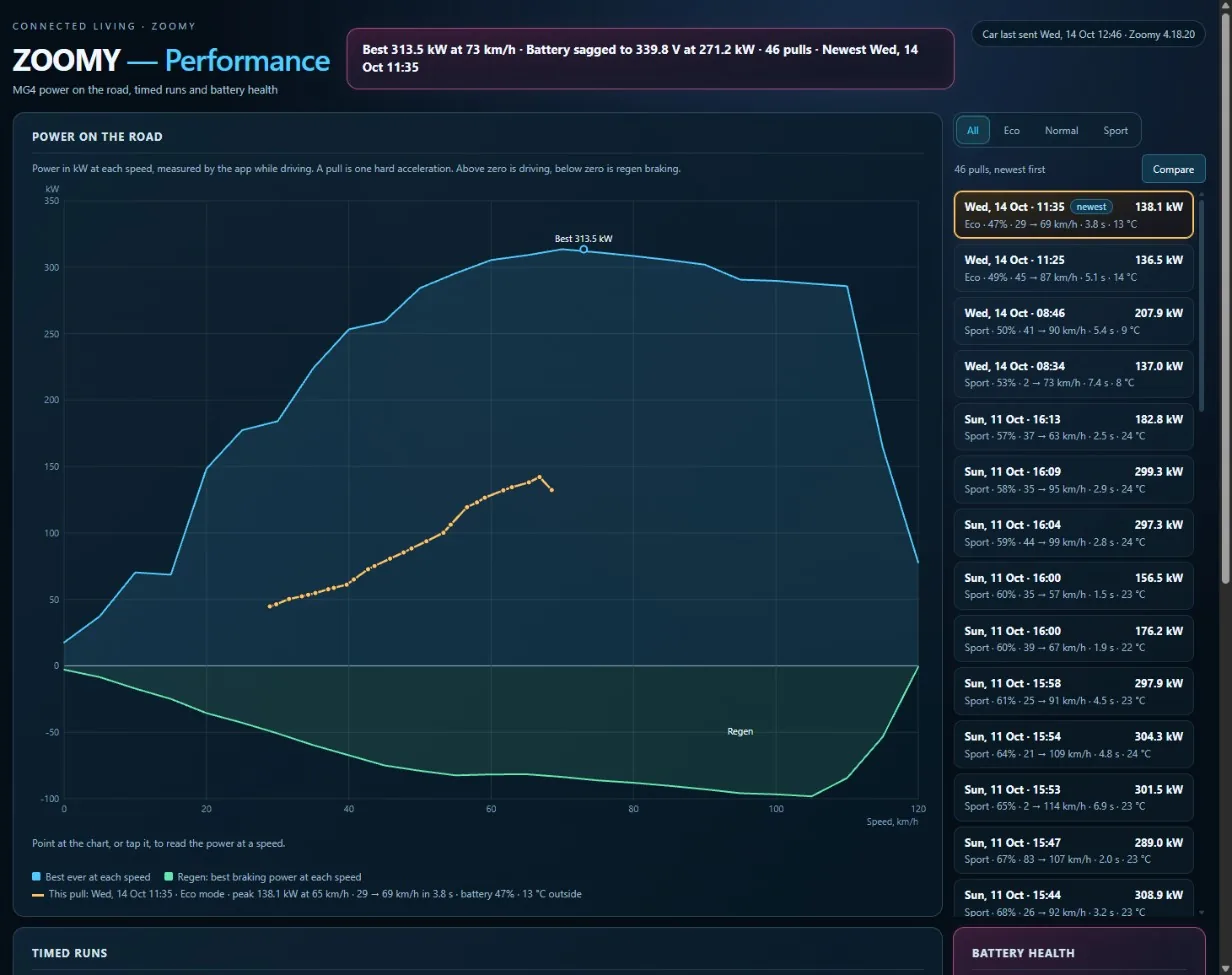
The free Zoomy add-on puts your MG4 into your own Home Assistant: a ZOOMY dashboard in the sidebar, and sensors - last drive, last charge, this month, last month, battery - that your own automations can use. No YAML to write.
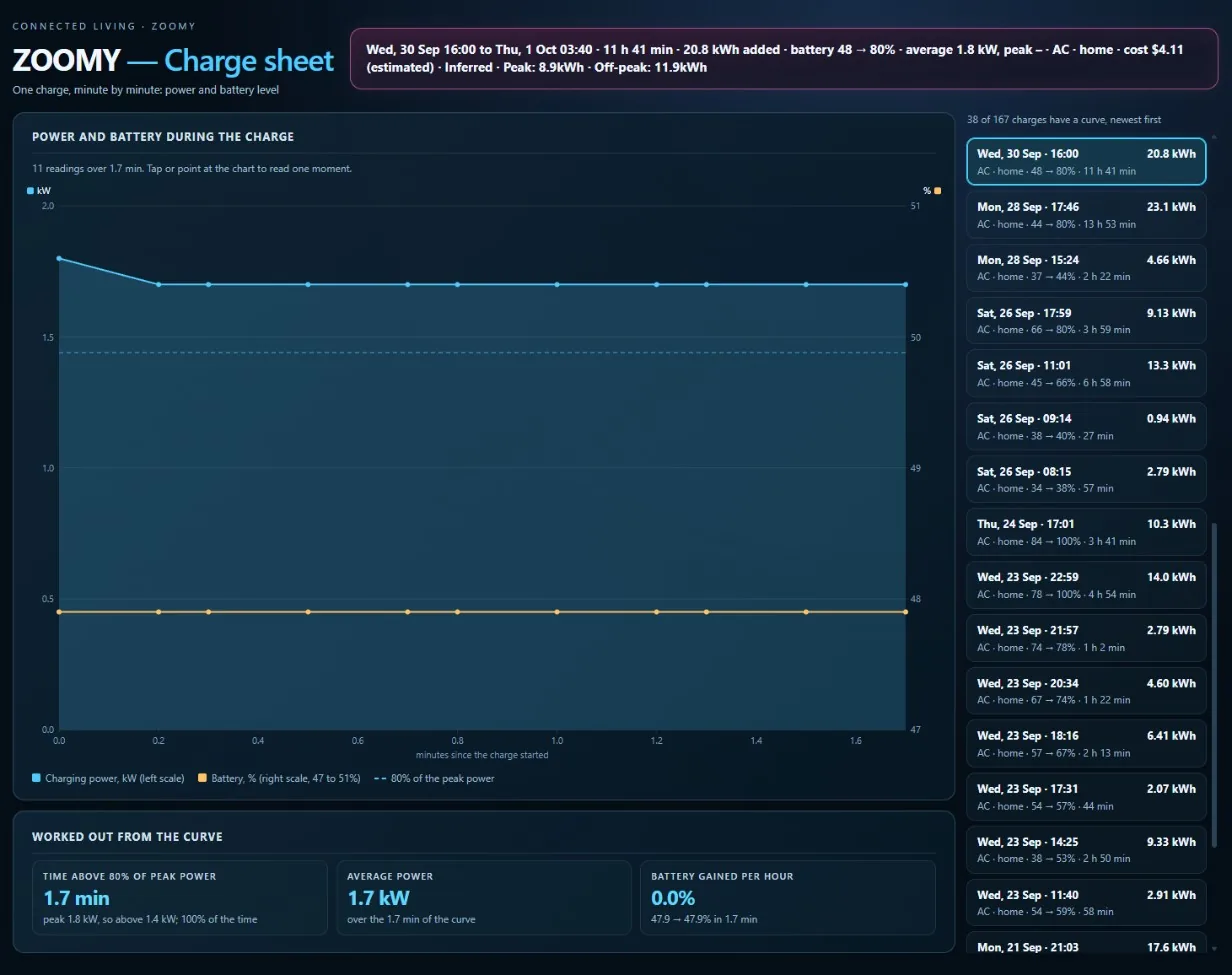
Your data stays at home
Once paired, your car sends its figures straight to your Home Assistant over your home Wi-Fi. They do not go through the internet or through Zoomy, and they are kept only on your Home Assistant.
What you need
- Home Assistant 2026.9 or newer
On a computer or box at home, on the same Wi-Fi as your car.
- HACS
The Home Assistant Community Store, which installs add-ons like this one. If you don’t have it yet, its own site explains how to add it.
- Zoomy on your MG4
With the car on your home Wi-Fi.
Install it in three steps
- Add Zoomy to HACS
Tap the button: it opens your own Home Assistant at the Zoomy add-on. Then tap Download.
Or, in HACS: the three dots, Custom repositories, paste github.com/zoomy-zoom/home-assistant-zoomy, choose Integration, then download “Zoomy”.
- Restart Home Assistant
Settings, then the three dots at the top, then Restart Home Assistant.
- Add your car
Tap the button, or go to Settings, Devices & services, Add integration, Zoomy. The ZOOMY dashboard appears in the sidebar by itself.
Coming in a Zoomy update: pairing your car. Your car will show a 6-digit code and you type it into Home Assistant - nothing else to copy or type. Until that update reaches your car, the add-on is installed and waiting.
An example of what else Home Assistant can do
This is one owner's own Home Assistant set-up: it charges two cars from spare solar power. It is not part of the Zoomy add-on.
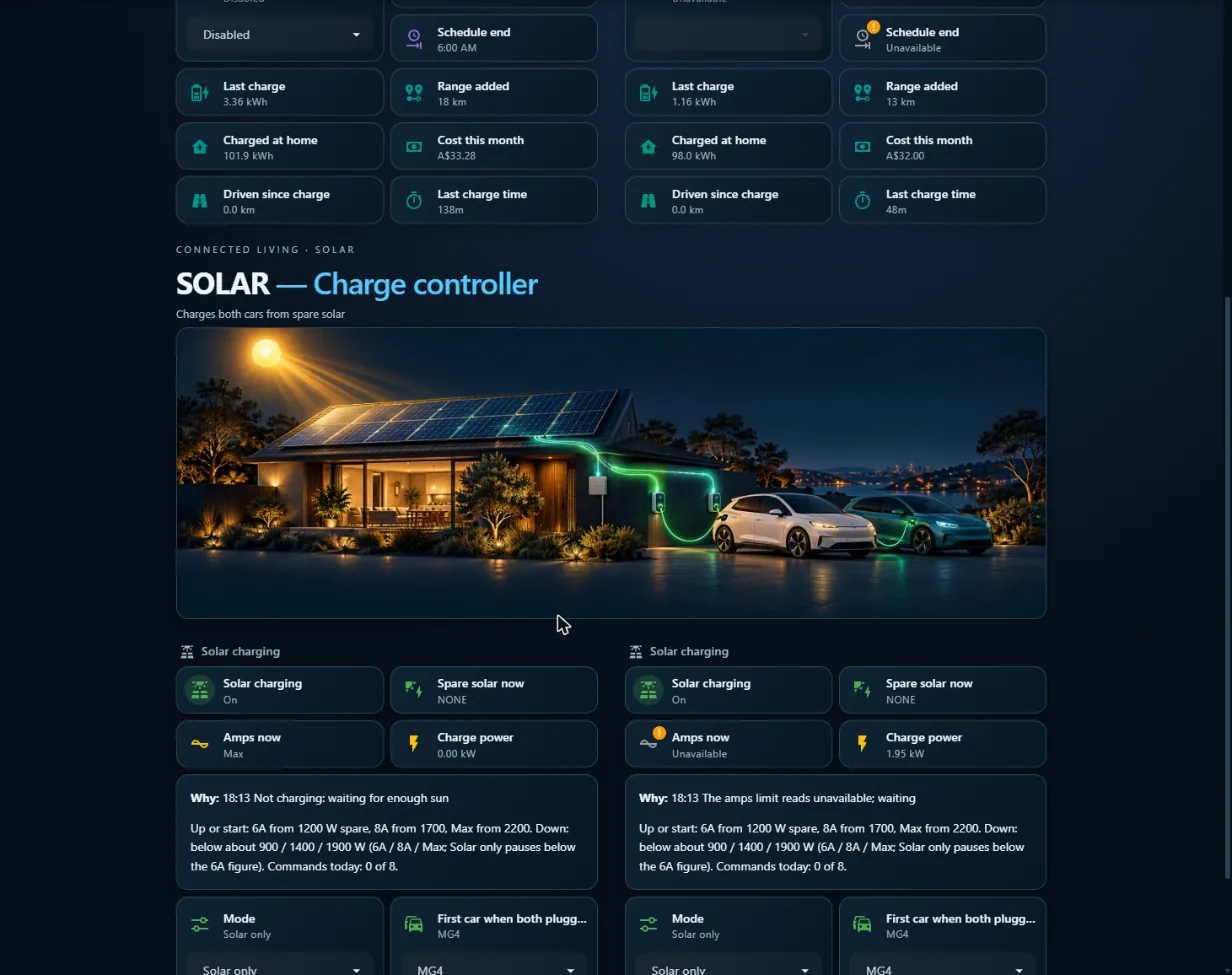
The Zoomy add-on for Home Assistant is free and open source (GPL-3.0): see it on GitHub. The Zoomy app on your MG4 is a separate product with its own licence. Questions? Email zoomy@zoomyzoom.com.au.